
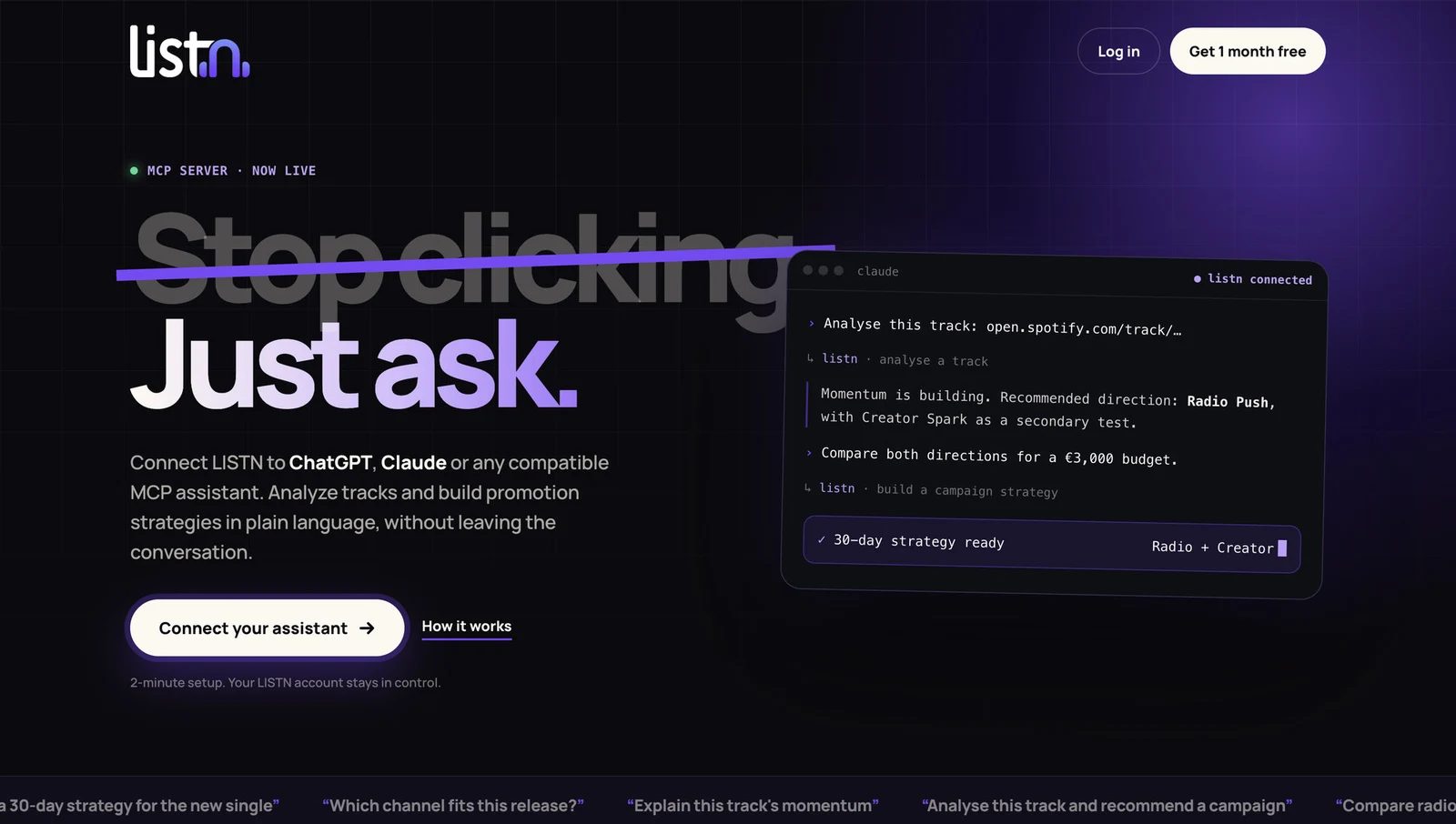
LISTN MCP connects music marketing to your AI assistant. Instead of switching between a conversation and a separate product to frame every question, you can ask a compatible assistant to analyze a track and help build a promotion strategy using LISTN. The connector is available through your LISTN account.
The useful change is the workflow. Start with the recording you want to promote, ask what its available signals suggest, then explore the next campaign direction in the same conversation. Artists, managers and label teams can keep the reasoning, budget constraints and release priorities together.
Connect your AI assistant to LISTN MCP.
What is a music marketing MCP?
MCP stands for Model Context Protocol, an open standard for connecting AI applications to external tools and data. A music marketing MCP gives a compatible assistant a way to work with a music-promotion service rather than relying only on general advice. The official MCP introduction explains the underlying standard.
That distinction matters. A general chatbot can suggest a release calendar without knowing anything about your track. Connecting LISTN lets the conversation draw on the analysis and promotion workflows available through the connector. You still need to provide context that the data cannot supply: what the release means, which audience you want to reach and what you can spend.
This is a marketing workflow, not an AI music generator. You bring the recording; the assistant helps you understand the available evidence and organize a promotion decision.
What can you do with LISTN MCP?
Ask for a track analysis
Begin with a Spotify track link and a specific question. For example: “Analyze this track and explain the available evidence of momentum.” Ask the assistant to separate observed activity from estimates, and to identify anything it cannot establish. A missing signal should remain missing, not become a confident explanation.
Explore promotion directions
The public LISTN MCP introduction demonstrates a conversation that moves from track analysis to a comparison between radio and creator promotion. That is a useful starting point when a team has several plausible options but needs a clearer reason to prioritize one.
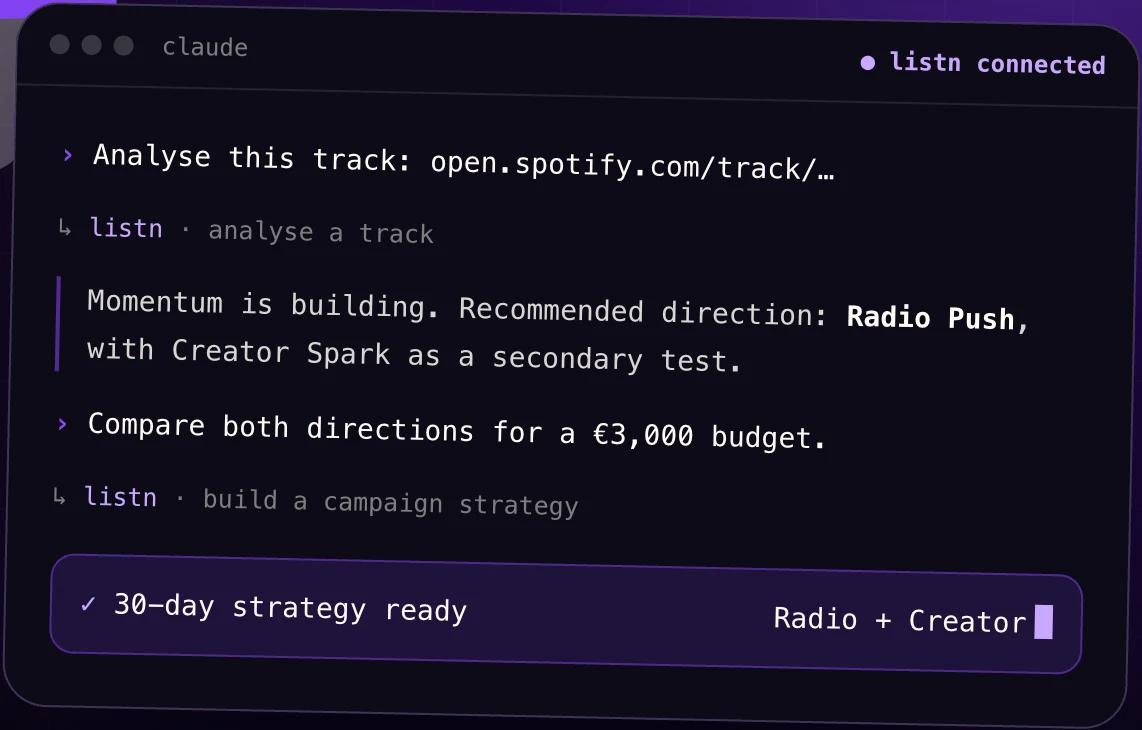
Illustrative conversation from LISTN’s public MCP introduction, captured October 19, 2026.
The point is not to obtain an automatic verdict. Ask what each direction is intended to achieve, which assumptions matter and what evidence you would review before increasing the budget.
Build a strategy in natural language
LISTN presents the connector as a way to build promotion strategies inside the conversation, including a 30-day strategy example. You can add constraints as you go: one priority territory, a limited budget, a released single or a campaign focused on discovery rather than immediate royalty income.
For the wider planning framework, use the music release planning checklist. The connector helps you work through the plan; it does not replace your approved assets, release schedule or commercial decisions.
How to connect LISTN to your AI assistant
- Open the LISTN MCP connection page. Go to LISTN’s assistant connection area and sign in to your LISTN account.
- Choose a compatible assistant. LISTN’s public introduction names ChatGPT, Claude and other MCP-compatible assistants. Connector access depends on the assistant, your account and its supported connection settings.
- Follow the current connection instructions. Complete the authorization steps shown for your account rather than copying an old setup guide.
- Start with one track and one question. Confirm that the assistant is using the correct recording before expanding the discussion into campaign strategy.
The public LISTN product introduction shows the intended experience. The connection page is the reference for the instructions and capabilities actually available to your account.
Four prompts to try with LISTN MCP
The following are suggested prompts, not transcripts of guaranteed outputs. Replace the track link, budget and territory with your own information.
- “Analyze this Spotify track: [link]. Separate current observations from estimates and list the missing information.”
- “Compare radio outreach and creator promotion for this track. My budget is €1,500. Explain the trade-offs before recommending a direction.”
- “Help me build a 30-day promotion strategy for this released single. Prioritize one market and define a review point before any additional spend.”
- “Turn the analysis into a short team brief: objective, evidence, assumptions, campaign direction and metrics to review.”
A strong prompt sets a decision, not just a topic. “What should I do with my music?” leaves too many choices open. Naming the track, objective and budget makes the answer easier to challenge and use. If the spending ceiling is still unclear, work through the music promotion budget guide before asking the assistant to allocate it.
LISTN MCP or Predict: which should you use?
Use LISTN Predict when you want the dedicated visual track-outlook interface: current activity, expected growth and campaign planning. Use MCP when you prefer to explore questions and strategy conversationally inside a compatible assistant.
They are different ways to approach a release decision, not interchangeable promises about identical screens or outputs. Read the guide to the new Predict workflow for the dashboard journey.
Keep strategy separate from campaign approval
A recommendation is not a launched campaign, and a forecast is not a guaranteed result. Review the recording, objective, targeting, assets and cost before committing money. The assistant should help explain a decision, not hide the assumptions behind it.
Capabilities can vary with the connected account and assistant. Do not assume that a conversational request completes payment, contacts creators or launches a campaign. Confirm the status in LISTN before treating any action as complete.
Frequently asked questions
Does LISTN MCP work with ChatGPT and Claude?
LISTN publicly presents ChatGPT, Claude and other MCP-compatible assistants as connection options. Availability depends on the assistant’s connector support and your account. Follow the current LISTN connection instructions.
Do I need a LISTN account?
Yes. The MCP connection area is part of your LISTN account and requires sign-in. The authorization flow determines which connected capabilities you can use.
Can LISTN MCP guarantee streams or a successful release?
No. Analysis and strategy support planning. Audience response, execution and platform behavior still affect the outcome.
Can I use it to create songs?
The workflow described here concerns track analysis and promotion strategy, not generating or editing the recording.
Bring your next release into the conversation
Choose one track and the decision you need to make next. Connect LISTN, ask a focused question and use the answer to build a campaign brief your team can review.